
Posted date: Mar 24, 2026
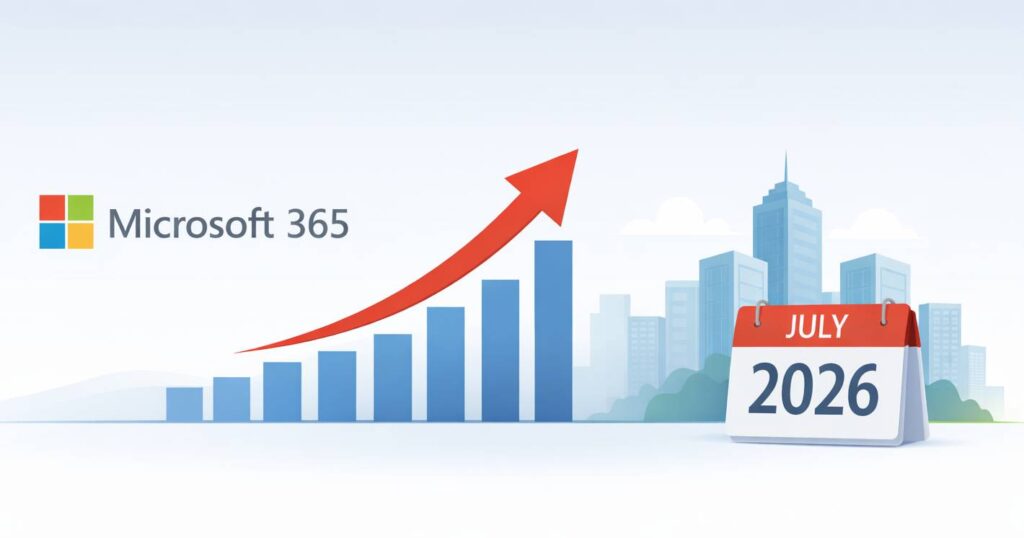
If you manage Microsoft 365 licensing for your organization, circle this date on your calendar: July 1, 2026.
That’s when Microsoft’s commercial pricing updates take effect across a wide range of M365 suites and standalone components — and depending on how many seats you’re running, the annual cost impact could be significant.
Here’s a clear breakdown of what’s changing, what it means for your budget, and what to do about it before the deadline.
What Microsoft 365 Pricing Is Changing — and Why
Microsoft announced these updates in December 2025, framing them as a reflection of ongoing platform investment.
Over the past year, Microsoft released more than 1,100 features across Microsoft 365, Security, Copilot, and SharePoint. The pricing changes are tied to new capabilities being bundled into existing suites — including AI enhancements, advanced security tools, and expanded endpoint management features rolling out in summer 2026.
The short version: you’re getting more — but you’re also paying more.
Microsoft 365 Price Increases, by Plan
Pricing updates take effect July 1, 2026. Existing customers remain on current pricing until renewal.
Here’s what the increases look like across the most common commercial tiers:
Business Suites (with Teams)
| SKU | Old Price | Change | New Price |
|---|---|---|---|
| Microsoft 365 Business Basic | $6.00 | +16% | $7.00 |
| Microsoft 365 Business Standard | $12.50 | +12% | $14.00 |
| Microsoft 365 Business Premium | No change | — | $22.00 |
Enterprise Suites (with Teams)
| SKU | Old Price | Change | New Price |
|---|---|---|---|
| Office 365 E1 | No change | — | $10.00 |
| Office 365 E3 | $23.00 | +13% | $26.00 |
| Office 365 E5 | $38.00 | +8% | $43.00 |
| Microsoft 365 E3 | $36.00 | +8% | $39.00 |
| Microsoft 365 E5 | $57.00 | +5% | $60.00 |
Frontline Suites (with Teams)
| SKU | Old Price | Change | New Price |
|---|---|---|---|
| Microsoft 365 F1 | $2.25 | +33% | $3.00 |
| Microsoft 365 F3 | $8.00 | +25% | $10.00 |
Notable Standalone Increases
| SKU | Old Price | Change | New Price |
|---|---|---|---|
| Microsoft 365 Apps | $12.00 | +17% | $14.00 |
| Apps for Business | $8.25 | +21% | $10.00 |
| Entra Plan 1 | $6.00 | +16% | $7.00 |
| Windows E3 | $6.63 | +15% | $7.63 |
For pricing details on additional SKUs, read Microsoft 365 Pricing and Packaging Updates.
The cumulative impact of these increases is worth calculating now — not in June.
For some quick math: 250 Microsoft 365 Business Standard licenses at a $1.50 per-user increase adds up to $4,500 per year. That number scales fast.
What’s Being Added to Microsoft Suites
Microsoft isn’t just raising prices — they’re adding capabilities. Whether the new features justify the cost increase for your organization depends on what you’re already licensed for and what you’ll actually use.
Key additions rolling out in summer 2026 include:
- Copilot Chat enhancements across Word, Excel, PowerPoint, and Outlook — including context-aware intelligence and Agent Mode — added to all Business and Enterprise tiers
- Microsoft Defender for Office 365 Plan 1 added to Office 365 E3 and Microsoft 365 E3
- URL time-of-click protection added to Office 365 E1, Business Basic, and Business Standard
- Intune Remote Help added to Microsoft 365 E3 and Microsoft 365 E5
- Microsoft Security Copilot added to Microsoft 365 E5
- +50GB mailbox storage added to Business Basic, Business Standard, and Business Premium
Read the complete list of Microsoft 365 feature updates.
For organizations already planning to deploy Copilot or looking to consolidate security tools, some of these additions represent genuine value. For others, they’re features that will sit unused — and that’s where the licensing conversation gets important.
The Time to Plan is Now
Whether your renewal lands before July 1 or after, the work to do now is the same: get clear on what you’re actually using before you commit to another term. Inactive accounts, mismatched license tiers, and seats that were never right-sized after a reorg quietly add up — and once July 1 hits, every one of those misallocated seats costs more.
Under Microsoft’s New Commerce Experience (NCE), the volume you commit to at renewal is locked in for the full term. Licenses can be added mid-term but not reduced until the next renewal, so going in with accurate data is the difference between paying for what you use and paying for what you forgot to clean up.
“Most businesses don’t realize how much they’re overspending on Microsoft licensing until they actually look. Treating every renewal as a chance to right-size will help you avoid paying for what you don’t need. ”
— Nick Saccomondo, CEO, Macro Technology Group
Before you renew your Microsoft 365 licenses, make sure you have clear answers to the following:
- Which users are actively using their licenses — and which haven’t logged in recently?
- Are any employees licensed at a tier that doesn’t match their actual role or usage?
- Do you expect your headcount to change in the next 12 months?
- What is the total annual cost impact of the July increases across your current seat count?
What Microsoft 365 Pricing Changes Mean for Your 2026 IT Budget
The July 2026 updates are a signal, not just a line-item change. Microsoft’s licensing model is becoming more complex and more financially consequential over time. The organizations that come out ahead aren’t scrambling to respond to each price update — they’re managing licensing as an active discipline: keeping usage data current, auditing their seat allocations regularly, and making sure every license tier actually fits the people assigned to it.
Reactive licensing is expensive licensing. Organizations that treat M365 as a set-and-forget expense consistently overspend — and the July 2026 increases will make that gap even more visible.
How Macro Can Help You Optimize Your Microsoft 365 Spend
When it comes to Microsoft licensing, having the right IT partner matters.
As a certified Microsoft Cloud Solution Provider, Macro can review your current license mix, identify over-provisioned or underutilized seats, and help you build a right-sized renewal strategy — whether your renewal falls before July 1 or after.
Whether you’re running Business, E3, or a hybrid of plans, we’ll make sure you’re paying for what you actually need — and positioned to take advantage of the new capabilities that genuinely benefit your team.
The July 1 deadline is closer than it looks. Don’t wait until your renewal notice lands to figure out where you stand.
Want to ensure your Microsoft licensing aligns with your organization’s actual needs?
Let’s assess your Microsoft licensing together.