

Posted date: Sep 8, 2025
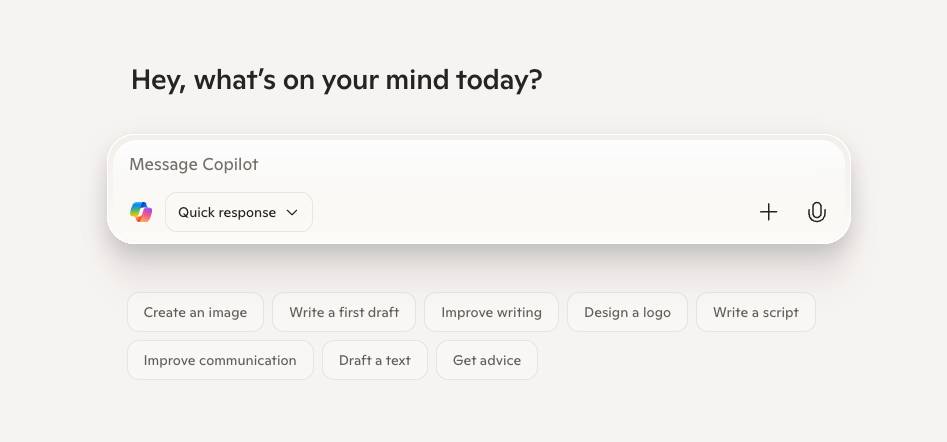
Microsoft Copilot is here — and it’s more than just a flashy AI add-on. It’s built into the Microsoft 365 tools your employees already use every day: Outlook, Word, Excel, Teams, and PowerPoint. With Copilot, drafting emails, analyzing data, creating presentations, and even summarizing meeting notes can be faster, easier, and smarter.
But like any new technology, success depends on how well employees are trained. Without guidance, Copilot could become just another underused feature — or worse, a potential security risk if employees don’t understand how to use it properly.
The latest studies on Copilot show employees are saving time on tasks and improving task accuracy. If you want your company to get this kind of value from Copilot (and avoid security breaches), here’s how to prepare them for success.
Pro tip: For real-time inspiration on building your own training session, join our webinar, “Microsoft Copilot: Your Everyday Productivity Partner” on Sept. 24 at 11 a.m. ET.
Sign-up! sign up for Microsoft Copilot webinar
1. Start With the Basics
Don’t assume everyone knows what Copilot is or how it works. Begin with a Copilot 101 training session that provides a high-level overview of Copilot.
Here’s a sample training session agenda you can customize for your team(s):
A. What is Microsoft Copilot?
- Brief overview of Copilot and where it lives in Microsoft 365
- Real-world examples of how it can assist with day-to-day tasks
- The latest productivity stats (Pro tip: Use those found in this article!)
B. Live Copilot Demo
- Drafting emails in Outlook
- Summarizing meetings in Teams
- Turning raw data into insights in Excel
- Creating presentations in PowerPoint
- Generating documents in Word
C. Hands-on Exercise
- Pick an app and try a sample prompt
- Share results and discuss prompt phrasing for better outcomes
D. Best Practices & Guardrails
- Keep prompts work-related
- Always verify Copilot’s outputs
- Security reminders: what data to use and avoid
E. Q&A
- Address common “what if” questions
- Provide quick tips for overcoming learning curves
F. Wrap Up & Next Steps
- Provide a quick reference guide with sample prompts
- Share resources (Teams channel, Lunch & Learn sessions, etc.)
- Encourage feedback on best practices and challenges
2. Create Role-Specific Use Cases
Different teams will use Copilot in different ways. Finance may lean on Excel for data insights, while marketing relies on Word and PowerPoint for content creation.
Develop training sessions tailored to each department’s workflows. This makes Copilot feel relevant — and boosts adoption rates.
Copilot In Action: Vodafone
In early Copilot trials, Vodafone employees reclaimed an average of 3 hours per week by using Copilot to draft emails, summarize meetings, and search for information.
- 90% wanted to continue using Copilot
- 60% reported work quality improvements
Source: Official Microsoft Blog
3. Emphasize Security and Compliance
Copilot uses the data that’s already in your Microsoft 365 environment. That means if sensitive data is accessible, employees could unintentionally surface it in prompts.
Make sure employees understand:
- What data they should and shouldn’t use with Copilot
- How to recognize when Copilot responses need review or refinement
- The importance of keeping prompts work-related (not personal)
This is where Macro’s managed Microsoft Cloud Solutions help — ensuring your environment is configured with the right security and compliance controls from the start.
Copilot in Action: Insight Enterprises
At Insight Enterprises, Copilot adoption soared through a mix of education and collaboration. 93% of users gained productivity benefits across functions like sales, finance, and HR.
Source: Microsoft Customer Stories
4. Offer Ongoing Support and Resources
Like any tool, employees will have questions as they start using Copilot day-to-day.
Provide:
- Quick reference guides with sample prompts
- A dedicated Teams channel for questions
- Regular “lunch and learn” sessions to share tips and success stories
The more support employees have, the faster Copilot becomes part of their natural workflow.
Copilot in Action: UK Government
In a three-month trial involving 20,000 civil servants, the use of Copilot saved 26 minutes per day — equivalent to two weeks of time per year.
Source: Financial Times
5. Measure and Adjust
Track usage and gather feedback from employees. Are they finding it useful? Where are they struggling? Use this data to fine-tune training programs and identify new use cases to highlight.
Here’s a sample survey you can customize for your team(s):
1. How often do you currently use Copilot in your daily work?
- Multiple times per day
- Once per day
- A few times per week
- Rarely or never
2. Which Microsoft 365 app do you find Copilot most useful in?
- Outlook (emails, scheduling)
- Word (drafting/reviewing documents)
- Excel (data analysis, formulas)
- PowerPoint (presentations)
- Teams (meeting summaries, chat insights)
3. How much time do you feel Copilot saves you on a typical task?
- More than 30 minutes
- 15–30 minutes
- Less than 15 minutes
- No time savings
4. How has Copilot impacted the quality of your work?
- Significantly improved
- Somewhat improved
- No change
- Decreased quality
5. How confident are you in reviewing and editing Copilot’s outputs before using them?
- Very confident — I always double-check
- Somewhat confident — I check most of the time
- Not very confident — I’m unsure what to look for
- Not confident at all
6. Which of the following best describes your comfort level with Copilot prompts?
- I know how to write effective prompts most of the time
- I’m still experimenting with prompts
- I struggle to get good results
- I don’t use prompts
7. Do you feel Copilot helps reduce repetitive or mundane tasks?
- Yes, significantly
- Yes, somewhat
- No noticeable change
- No, it adds complexity
8. How has Copilot affected collaboration with your team?
- Strongly improved (faster handoffs, shared notes, clarity)
- Somewhat improved
- No noticeable impact
- Made collaboration harder
9. Do you feel you have enough training and resources to use Copilot effectively?
- Yes, more than enough
- Yes, but more would help
- Not really — I need more training
- No, I feel unprepared
10. Overall, how satisfied are you with Copilot as a productivity tool?
- Very satisfied
- Somewhat satisfied
- Neutral
- Dissatisfied
Taking Flight with Copilot
Copilot has the potential to be every employee’s productivity partner — but only if they know how to use it effectively and safely. With the right training plan, IT managers can unlock the full benefits of AI in Microsoft 365, while keeping data secure and teams focused.
At Macro Technology Group, we help businesses roll out Microsoft Copilot with confidence. From setup and licensing to governance and security, we make sure your cloud environment is ready for the future of work. Reach out.
Want more on Copilot? Join our webinar, “Microsoft Copilot: Your Everyday Productivity Partner” on Sept. 24 at 11 a.m. ET.
Sign up today!Microsoft Copilot: Your Everyday Productivity Partner